Does Buff Actually Work for Roblox?
- Mar 29
- 7 min read
If you have scrolled through TikTok or YouTube lately, you have probably seen ads promising free Robux just for playing your favorite games. That viral pitch introduces you to the world of "play-to-earn apps," which reward users for their screen time.
Naturally, when free currency is involved, parents and players alike immediately wonder: is Buff gaming a scam? It sounds completely unrealistic, making families question if these programs are legitimate tools or digital traps designed to secretly slow down their computers.
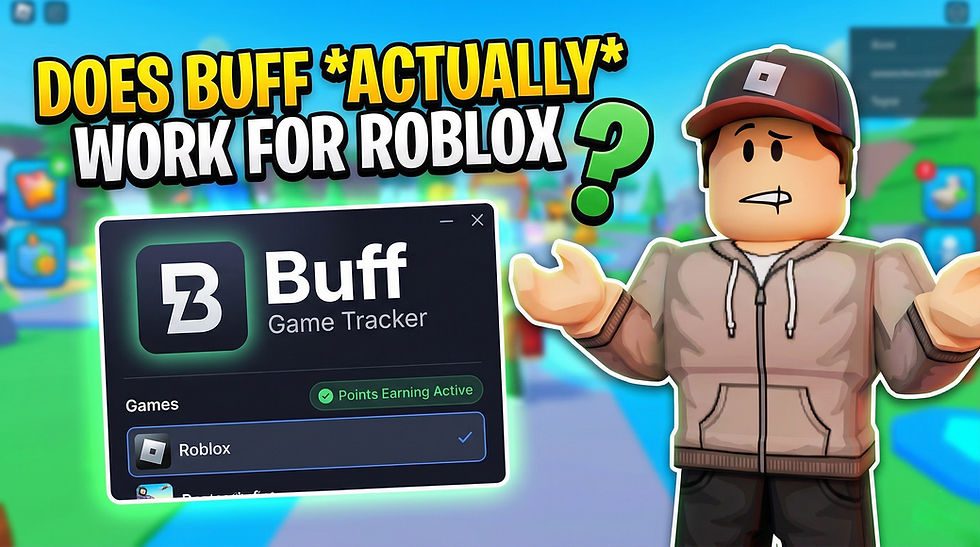
Answering whether Buff actually works for Roblox becomes easier when you think of the software like a fitness tracker for your daily gaming habits. According to the respected gaming utility platform Overwolf, which hosts the application, Buff securely monitors your playtime and in-game achievements in the background. This introduces a concept called "passive earning." You do not have to complete extra surveys or click sketchy links; you simply play normally, and the app gradually accumulates a point balance for you.
Industry data reveals that using Buff for Roblox is not a hoax, but rather a very slow earner requiring genuine patience. In practice, turning those passive points into a digital Roblox gift card takes dozens of hours of gameplay, much like swiping a loyalty card at a grocery store for pennies back. Evaluating the safety of this background software and the true value of its steady rewards requires a closer look at its underlying technology.
How Buff Actually Tracks Your Gameplay (And Why It Needs Overwolf)
Have you ever wondered how a background app knows you just won a match in BedWars? Buff doesn't hack into Roblox servers; instead, it uses a method called "client-side tracking." Think of it as a digital referee standing over your shoulder, simply watching your screen. To do this, Buff relies on a program called Overwolf to create an "overlay integration"—a transparent menu that sits over your game to read the on-screen action. For parents asking, is Overwolf safe for Roblox, it is a widely used, trusted platform that reads game events without altering any actual game files.
Because this digital referee only watches the game itself, your personal information remains completely untouched. A common concern regarding Overwolf gaming app security is whether the software can see your passwords or web browser history. It doesn't. The tracker is programmed strictly to recognize specific in-game triggers, like total playtime or match victories, translating those into Buff coins.
Running extra software naturally makes your computer work harder, so checking the Buff game tracker system requirements is vital before downloading. To play Roblox smoothly while Buff monitors your progress, your PC should meet these four essentials:
A modern multi-core processor (like an Intel Core i5) to comfortably juggle both applications.
At least 8GB of RAM to prevent your game from stuttering or freezing during action.
A solid-state drive (SSD) rather than an older hard drive to ensure smooth loading.
A dedicated graphics card to handle the visual overlay without causing frustrating lag.
Once your computer clears these hardware hurdles, the program operates quietly behind the scenes without ruining your gameplay experience. With the hardware requirements met and the tracking mechanism understood, the next step involves properly configuring the software across devices.
Setting Up Buff for Roblox on PC and Mobile
Getting the software installed on your computer is only half the battle; making sure it actually talks to your game is where most players get stuck. After downloading the basic installer, the secret to success is "account syncing"—securely linking your gaming profile so the app knows exactly who to reward. To avoid the frustration of playing for hours without getting any credit, follow this five-step checklist for your first-time PC setup:
Open the newly installed app and create your free account.
Navigate to the Settings menu and find the "Permissions" tab.
Flip the permission toggle switch to "On" for Roblox so the Overwolf software is allowed to 'see' your game.
Launch a Roblox experience (like Adopt Me! or Jailbreak) while the app is actively running.
Look for a small pop-up notification in the corner of your screen confirming your gameplay is being tracked.
When setting up Buff for Roblox on mobile and PC, you might occasionally encounter a frustrating "App Not Found" error during your first try. This harmless glitch usually happens if the background tracker boots up before your game fully loads. To fix it, simply close both programs completely, launch your game first, and then open the tracker once your character spawns into a server. For mobile users, the process is even more straightforward: just download the official app, log in to sync your profile, and leave it running in the background.
With those permissions correctly configured, the system becomes completely passive, meaning you just let the software run quietly in the background while you play normally. However, expectations must be grounded regarding the actual effort required and the time it takes to see a tangible payoff.
The Math of Buff: Earning a $10 Gift Card
Everyone loves the idea of earning something for nothing, but determining whether Buff game rewards are real or fake requires looking closely at the math. Think of this app like playing games at a physical arcade: you win tickets for participating, but it takes hundreds of tickets to claim a tiny plastic prize. In the Buff ecosystem, one point is roughly equivalent to a fraction of a single US penny. You are not going to get rich or fund an entire virtual wardrobe overnight, so adjusting your expectations is the first step.
Earning rates naturally vary depending on in-game challenges, but a casual player typically earns around 10 to 15 points per day just by having the software run. If your goal is learning how to get free Robux with Buff, your main target is likely the standard $10 digital Roblox card (which grants 800 Robux). That specific prize usually costs between 1,000 and 1,200 Buff points. Using basic multiplication, if you earn 15 points a day, you will need about 80 days of consistent daily gameplay to reach that single payout.
To make this reward-to-time ratio crystal clear before you start redeeming Buff points for Robux gift cards, here is a realistic timeline for an average gamer playing roughly two hours a day:
1 Week (14 hours of play): ~100 points earned. (Not enough to cash out any rewards).
1 Month (60 hours of play): ~450 points earned. (Usually enough for a smaller $5 digital card, assuming they are currently in stock).
3 Months (180 hours of play): ~1,350 points earned. (Finally enough for a $10 Roblox card).
Leaving a computer running extra hours just to grind for 180 hours could actually cost you more in electricity than the ten-dollar digital currency is ultimately worth. However, if you are already planning to play your favorite games for that amount of time anyway, it acts as slow, passive pocket change accumulating in the background. Committing hundreds of hours to this tracking method requires verifying that the background software won't negatively impact gameplay or jeopardize account standing.
Will Buff Slow Down Performance or Cause Bans?
Players and parents often worry about account security, specifically asking, can you get banned for using Buff on Roblox? The short answer is no. Unlike shady "free Robux generators" that try to steal passwords, Buff acts merely as a passive observer. It maintains strict TOS compliance, meaning it operates entirely within Roblox's official Terms of Service. Because it never alters game files or provides unfair advantages like an aimbot would, standard anti-cheat systems do not flag it.
The technology powering the application further proves its legitimacy. Buff operates on Overwolf, a popular framework built specifically for gaming extensions. It is a trusted platform used by millions and verified by major security providers. Instead of hacking the game engine, it simply reads public visual data, like when your match finishes. Think of it like a sports commentator watching from the broadcast booth; they can track the score perfectly, but they cannot physically step onto the field to interfere with the players.
While account safety is clear, adding any background software introduces "resource overhead"—the additional computer power needed to keep those extra apps alive. So, does Buff slow down PC performance? It entirely depends on your hardware. Because it tracks live stats and occasionally loads background ads, it constantly claims a small percentage of your CPU usage.
On a modern gaming desktop, this impact is completely invisible. However, on an older laptop already struggling with lag, you might notice frustrating frame drops. Physical hardware limitations are common, but digital glitches can also disrupt progress and occasionally cause the software to stop tracking playtime altogether.
Fixing Roblox Tracking Issues
Nothing is more frustrating than completing a long Roblox session only to open your dashboard and see zero points earned. If you find Buff is not tracking Roblox playtime, the culprit is usually a hidden issue called "overlay priority." Because the app needs to "see" your game to give you points, it has to sit invisibly directly on top of your game window. Think of it like a clear piece of glass placed over a painting. If another program slides its own glass in between, the view is blocked, and progress recording stops completely.
When two background programs fight to be the one closest to your game, it creates a "software conflict." Often, programs like Discord or screen recorders accidentally push Buff out of the way, pausing your ability to keep earning passive rewards while gaming. If your points are frozen, apply these four quick fixes:
Restart the engine: Open your computer's Task Manager, find "Overwolf" (the platform Buff runs on), click "End Task," and reopen the app.
Turn off rival overlays: Temporarily disable the in-game overlay features in Discord or Xbox Game Bar.
Check your permissions: Right-click the Buff icon and select "Run as Administrator" so your computer knows to prioritize it.
Update everything: Make sure both Roblox and Buff are fully updated, as outdated software frequently breaks connection lines.
Technical hiccups like these are incredibly common among even the best apps to earn Robux for playing games. While fixing a software conflict only takes a few clicks, constantly babysitting a background program can feel like a chore. Once the app runs perfectly and points track consistently, determining whether the passive rewards justify the necessary background management becomes the ultimate consideration.
The Final Verdict
The promise of free currency is often a red flag for scams, but Buff operates differently. It is not a magical hack, but a legitimate background tracker trading your gaming time for digital gift cards.
If this system aligns with your gaming habits, start with a secure setup.
Parents and younger gamers should download the software together directly from Overwolf to avoid malicious links. Every honest Buff gaming app review emphasizes patience. Try letting it run during normal weekend sessions to verify your computer's performance remains smooth before making it a permanent addition.
Buff effectively works for Roblox players provided it is treated as a passive bonus rather than a part-time job. Think of these payouts like finding spare change in your couch cushions. By keeping expectations grounded, you can safely enjoy your favorite games while letting small rewards slowly accumulate.


Comments