Newer Laptops Improved Thermal Management for Extended Camera Use
- Apr 7
- 8 min read
Extended camera use on laptops generates significant heat that can lead to performance throttling and reduced component lifespan. Modern laptops now incorporate advanced cooling systems that efficiently dissipate heat during intensive tasks like video streaming and camera-intensive applications, preventing thermal throttling and maintaining optimal performance for longer periods. These improvements address a critical challenge for users who rely on video conferencing, content creation, and streaming.
Understanding how newer laptops manage thermal performance helps you make informed purchasing decisions when camera use is a priority. Thermal management involves multiple factors working together, including specialized cooling hardware, efficient processors, and intelligent power distribution systems. These elements determine whether your laptop can sustain demanding workloads without overheating.
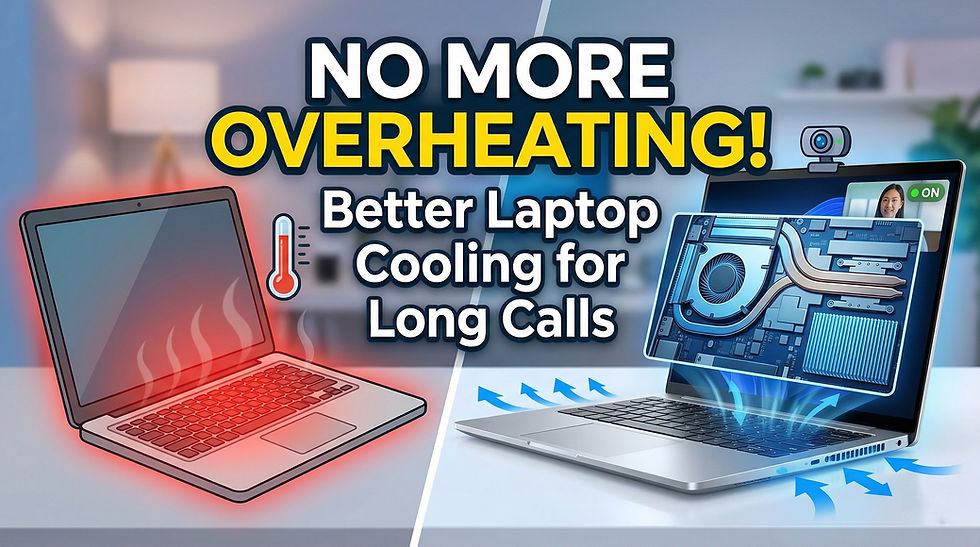
The latest developments in laptop cooling technology range from refined air circulation designs to breakthrough liquid cooling implementations. You'll discover which specific components enable better heat dissipation, how modern CPUs and GPUs contribute to thermal efficiency, and which devices currently offer the best solutions for extended camera operation.
Key Advances in Laptop Thermal Management for Extended Camera Use
Recent innovations in laptop cooling technology address the demanding requirements of video conferencing and streaming. These advances combine improved hardware designs with intelligent software controls to maintain performance during prolonged camera sessions.
Modern Cooling System Architectures
Contemporary laptops employ multiple thermal management technologies working together. Advanced cooling systems now feature vapor chambers that spread heat across larger surface areas more effectively than traditional heat pipes alone. These ultra-thin chambers work alongside optimized heat pipes to transfer thermal energy away from processors and graphics components.
Liquid metal thermal interface materials have replaced conventional thermal paste in high-performance models. This material conducts heat more efficiently between chips and cooling assemblies. Some manufacturers integrate hybrid systems combining vapor chambers with traditional heat pipe arrays to maximize heat dissipation during video processing tasks.
The physical arrangement of cooling components has evolved significantly. Modern thermal design positions intake and exhaust vents strategically to create optimal airflow paths through the chassis. This ensures heat generated by your camera processing doesn't accumulate in specific areas.
Role of Artificial Intelligence in Thermal Adjustments
AI-tuned thermal technology monitors system temperatures and workload demands in real-time to adjust cooling responses. Your laptop analyzes which applications are running and predicts thermal requirements before temperatures spike. This proactive approach prevents the sudden fan speed increases that occur with reactive cooling systems.
Machine learning algorithms study your usage patterns over time. When you regularly engage in video calls or streaming, the system recognizes these activities and applies appropriate cooling profiles automatically. The technology balances performance requirements with thermal limits to prevent throttling during extended camera sessions.
Dynamic thermal management adjusts power delivery to components based on current temperatures. If your processor approaches thermal limits during a video conference, the system redistributes power to maintain stable performance without overheating.
Quiet Operation and Fan Curve Optimization
Quiet operation has become essential for professional video conferencing environments. Modern fan curves ramp up cooling gradually rather than switching between extreme speeds. This prevents the distracting noise spikes that interrupt meetings or recordings.
Advanced fan systems use larger, slower-rotating blades that move equivalent air volumes with less acoustic output. Your laptop's cooling efficiency no longer requires high-pitched whirring sounds. Manufacturers now design fan blade profiles and bearing systems specifically for reduced noise generation.
Intelligent cooling adjusts fan speeds based on microphone activity detection. When you're speaking during a video call, the system may temporarily moderate fan speeds to minimize background noise in your audio feed. These optimizations ensure your laptop remains cool without compromising communication quality during extended camera use.
Components and Materials Enabling Better Heat Dissipation
Modern laptops incorporate specialized hardware and materials to manage heat from prolonged camera use and intensive processing. These innovations include vapor chambers that spread heat across larger surfaces, liquid metal compounds that improve thermal transfer efficiency, multi-fan systems that enhance airflow, and insulation materials that protect sensitive components.
Vapor Chambers and Heatpipe Design
Vapor chambers and heatpipes work through phase-change cooling, where liquid evaporates at hot spots and condenses at cooler areas. Your laptop likely uses copper heatpipes that connect the processor and GPU to radiator fins. These pipes contain a small amount of fluid that continuously cycles between liquid and vapor states.
Vapor chambers function similarly but spread heat across a flat plane rather than through tubes. This design provides better coverage for larger processors and multiple heat sources. Laptop thermal management systems now combine both technologies to handle increasingly powerful components in compact chassis.
The effectiveness of these systems depends on proper contact with heat sources and adequate fin surface area. Manufacturers optimize pipe diameter, wick structures, and working fluids to maximize heat transfer rates. Some designs incorporate multiple heatpipes working in parallel to distribute thermal loads more evenly across the cooling assembly.
Liquid Metal Thermal Compounds
Liquid metal thermal paste outperforms traditional silicon-based compounds by offering thermal conductivity rates of 70-80 W/mK compared to 5-12 W/mK for conventional pastes. Products like Conductonaut Extreme use gallium-based alloys that remain liquid at operating temperatures. This eliminates air gaps between the processor die and heatsink that reduce efficiency.
Your laptop benefits from these thermal interface materials because they maintain consistent performance over time without drying or degrading. However, liquid metal requires careful application since it conducts electricity and can damage components if misapplied.
Standard thermal paste still serves well in many applications, particularly for components that don't generate extreme heat. The choice between thermal compound types depends on your thermal requirements and the specific hardware configuration in your system.
Advanced Airflow and Tri-Fan Technology
Tri-fan technology employs three separate fans to create optimized airflow zones within your laptop chassis. Two fans typically handle CPU and GPU cooling while a third provides auxiliary airflow or targets specific hot spots. This configuration allows independent speed control for each fan based on component temperatures.
Modern laptop cooling solutions incorporate blade designs that maximize air movement while minimizing noise. Fan placement creates pressure differentials that draw cool air through intake vents and expel hot air through exhaust ports. Strategic vent positioning ensures your camera and display components receive adequate cooling during extended video calls.
Some systems use variable fan curves that adjust speeds dynamically based on workload intensity. This balances thermal performance with acoustic comfort during different usage scenarios.
Thermal Insulation Materials and Techniques
Thermal insulation materials protect heat-sensitive components like batteries, storage drives, and camera modules from processor heat. Graphite sheets and thermal pads create barriers that prevent heat migration to adjacent areas. These materials also help direct heat toward designated cooling pathways.
Your laptop may include copper or aluminum shields that isolate hot zones while providing structural support. Some manufacturers apply thermal tape or specialized films to the underside of keyboards and palm rests to prevent uncomfortable surface temperatures during operation.
Advanced designs incorporate aerogel insulators or ceramic-based materials in critical areas. These techniques ensure your camera sensors maintain optimal operating temperatures even when processors run at full capacity, preventing thermal throttling that would degrade video quality during extended recording sessions.
Hardware Synergy: CPUs, GPUs, and Power Management
Modern laptops balance processing power with thermal efficiency through coordinated hardware management. The relationship between your CPU, GPU, and power delivery systems determines how well your device handles sustained camera workloads without overheating or draining the battery.
Efficiency of Modern Processors and Integrated Graphics
Your laptop's processor architecture plays a direct role in managing heat during video calls and recording sessions. Intel Core Ultra processors use a tile-based design that separates compute functions, allowing specific sections to power down when not needed during camera operations.
Integrated graphics solutions handle video encoding more efficiently than routing everything through the CPU. Intel Arc integrated graphics include dedicated media engines that process camera streams while consuming less power than general-purpose compute cores.
The synergy between your CPU and integrated graphics reduces thermal output compared to older architectures. When your camera software encodes video, the workload distributes across specialized hardware blocks rather than maxing out high-power components. This distribution keeps temperatures lower during extended video conferences.
Your system generates less heat when hardware acceleration is properly utilized. Modern integrated graphics handle 1080p video encoding at 15-20 watts, while CPU-only encoding can push power consumption above 35 watts for the same task.
Performance Modes and Power Optimization
Thermal management and power optimization require coordination between hardware and software controls. Your laptop typically offers multiple power profiles that adjust CPU and GPU behavior based on your current needs.
Performance mode pushes maximum wattage to your processor and graphics, which increases heat output during camera sessions. Balanced mode limits peak power draw while maintaining adequate performance for video tasks. Battery saver mode restricts both CPU and GPU frequencies, reducing thermal load at the expense of processing capability.
Power Profile Comparison:
Mode | CPU Power | GPU Power | Camera Performance | Heat Output |
Performance | 45-65W | 15-25W | Excellent | High |
Balanced | 25-35W | 8-12W | Good | Moderate |
Battery Saver | 10-15W | 5-8W | Adequate | Low |
Your discrete GPU typically remains inactive during basic camera use unless you're running additional graphics-intensive applications. Modern laptops switch between integrated and discrete graphics dynamically to minimize unnecessary power consumption and heat generation.
Impact on Battery Life During Prolonged Camera Sessions
Camera operations drain your battery at different rates depending on resolution, frame rate, and encoding settings. A typical video call at 1080p30 consumes 8-12 watts on modern hardware with proper optimization, allowing 6-8 hours of runtime on a 60Wh battery.
Your battery depletes faster when background applications compete for CPU resources during calls. Screen brightness, Wi-Fi activity, and concurrent software all add to the power draw beyond the camera itself.
Intel Core Ultra 9 processors include low-power efficiency cores that handle background tasks while your camera runs. This architecture keeps performance cores available for video processing without waking unnecessary silicon. The result is 15-25% longer battery life compared to previous generation chips during sustained camera use.
Your laptop's power management system monitors temperatures and adjusts performance dynamically. When thermal sensors detect rising heat during a long video session, the system reduces clock speeds gradually rather than throttling abruptly, maintaining consistent video quality while protecting components.
Device Examples and Upgrade Solutions for Thermal Performance
Modern laptops now integrate sophisticated cooling architectures that maintain lower operating temperatures during extended camera sessions, while user-upgradeable options provide additional thermal headroom for demanding workloads.
Top Laptops Featuring Advanced Thermal Technologies
The ASUS ROG Zephyrus G16 exemplifies current thermal innovation with its ROG Intelligent Cooling system that dynamically adjusts fan curves based on workload demands. This thin-and-light gaming laptop pairs advanced vapor chamber technology with liquid metal thermal compound to dissipate heat from high-performance components including 32GB LPDDR5X memory configurations.
Lenovo's Legion Pro 7 employs Coldfront 5.0, a comprehensive thermal solution combining dual fans, quad exhaust vents, and phase-change thermal materials. The system maintains consistent performance during video calls and content creation on its 2K display without excessive fan noise.
Both devices allow thermal customization through software utilities like Armoury Crate, where you can create custom fan profiles that prioritize silent operation during camera use or maximum cooling during intensive tasks. Laptops with advanced cooling systems prevent thermal throttling by efficiently managing heat during sustained workloads.
External and User-Configurable Cooling Enhancements
A laptop cooling pad provides immediate temperature reduction by elevating your device and directing additional airflow across the bottom chassis. These accessories typically lower surface temperatures by 5-10 degrees Celsius during extended camera sessions without requiring hardware modifications.
More advanced options include external liquid cooling docks that connect via proprietary ports on select gaming laptops. Liquid cooling solutions in laptops offer superior heat dissipation during resource-intensive tasks compared to traditional air cooling methods.
For internal improvements, you can clean your laptop fan and replace thermal paste using quality compounds from manufacturers like Arctic or Thermal Grizzly. This maintenance restores factory cooling performance after prolonged use.


Comments