SuperGrok Image Generation Limit Reset Time: Truth Nobody Tells You
- Mar 21
- 10 min read
Updated: Apr 2
If you've ever stared at that dreaded "Image limit reached" message on SuperGrok and had absolutely no idea when your quota was coming back, you're not alone. Thousands of users hit this wall every single day — and the frustrating part is that xAI has never published a clean, official document explaining exactly how the reset system works. You're left guessing whether to wait two hours, six hours, or just give up and go to bed.
This guide cuts through all the confusion. We're going to break down exactly how SuperGrok's image generation limit resets in 2026, what each subscription tier actually gives you, why the "unlimited" label is misleading, and how to squeeze the maximum output from your quota every single day. Whether you're a casual creator, a content marketer, or a heavy-volume social media producer, this is the only explanation you'll need.
What Is SuperGrok and Why Does the Image Limit Even Exist
SuperGrok is xAI's premium subscription tier for Grok, the AI assistant built by Elon Musk's artificial intelligence company and tightly integrated into the X platform (formerly Twitter). Priced at $30 per month or $300 per year, SuperGrok positions itself as the power-user upgrade over standard X Premium plans, bundling together access to advanced Grok models, DeepSearch, extended context memory of up to 128,000 tokens, and the Grok Imagine image and video generation tool.
Grok Imagine is the star of the show for visual creators. It allows users to generate AI images and short videos directly inside Grok's chat interface, with support for multiple aspect ratios, a "Spicy mode" for edgier content, and — as of early 2026 — 720p resolution video output up to ten seconds long.
So why does a $30-per-month subscription have any limits at all? The answer is infrastructure. Generating high-quality AI images and videos requires enormous computational resources. xAI runs its generation pipeline on clusters of advanced Nvidia GPU hardware, and every single prompt you send triggers a multi-stage process involving diffusion models, image encoders, and frame interpolation systems.
Serving millions of users simultaneously at that level of compute load is genuinely expensive — and daily caps are how xAI manages that cost while keeping the service running smoothly for everyone. The limits exist not to frustrate you, but to prevent any single user from monopolizing shared server capacity. Once you understand that, the reset logic starts to make a lot more sense.
The Official Tier Breakdown: What Each Plan Actually Gets You
Before diving into reset times, you need to know what you're working with. Here is the current tier structure for Grok image and video generation in 2026:
Free users on basic X accounts receive the most restricted access — roughly 3 to 10 image generations every two hours, depending on server load. Video generation at this tier is limited to 480p resolution and caps out at around 5 to 10 short clips per day. This is genuinely a trial-level experience, useful for testing the tool but not for any kind of consistent creative work.
X Premium subscribers at $8 per month get a meaningful upgrade, pushing daily image capacity to approximately 50 images per day with faster processing. Video access improves but remains limited compared to higher tiers.
X Premium Plus at roughly $40 per month bundles Grok access with additional platform perks like ad reduction and creator monetization features. Image generation limits are higher than standard Premium, though xAI does not publish exact numbers at this tier.
SuperGrok at $30 per month is where things get serious for AI creators. The marketed figure is 200 image and video generation attempts per 24-hour period. SuperGrok also unlocks 720p video resolution and priority processing, which became exclusive to this tier following a February 2026 update that locked higher-quality outputs behind the paid subscription.
SuperGrok Heavy at approximately $300 per month pushes the daily generation cap to 500 or more, with the highest processing priority and maximum quota headroom. This tier targets agencies, high-volume content studios, and power users who legitimately need to generate hundreds of outputs per day.
When Does the SuperGrok Image Generation Limit Reset? The Real Answer
This is the question everyone is asking, and the answer is more complicated than anyone wants it to be. xAI has not published official documentation explaining the exact reset mechanism. What we know comes from community reports, user testing, and patterns observed across thousands of accounts.
Here is what the data consistently shows: SuperGrok does not reset at midnight. The system operates on rolling time windows rather than a fixed daily schedule. This means your quota does not simply refill at 12:00 AM in your local timezone or even at midnight UTC. Instead, your usage history is tracked dynamically, and access is gradually restored as older usage events fall outside the rolling window.
For image generation specifically, the most commonly reported reset behavior involves a rolling 24-hour window. If you hit your limit at 3:00 PM on a Tuesday, your quota begins restoring from 3:00 PM on Wednesday — not from midnight the same night. This trips up a huge number of users who assume they just need to wait until the next calendar day.
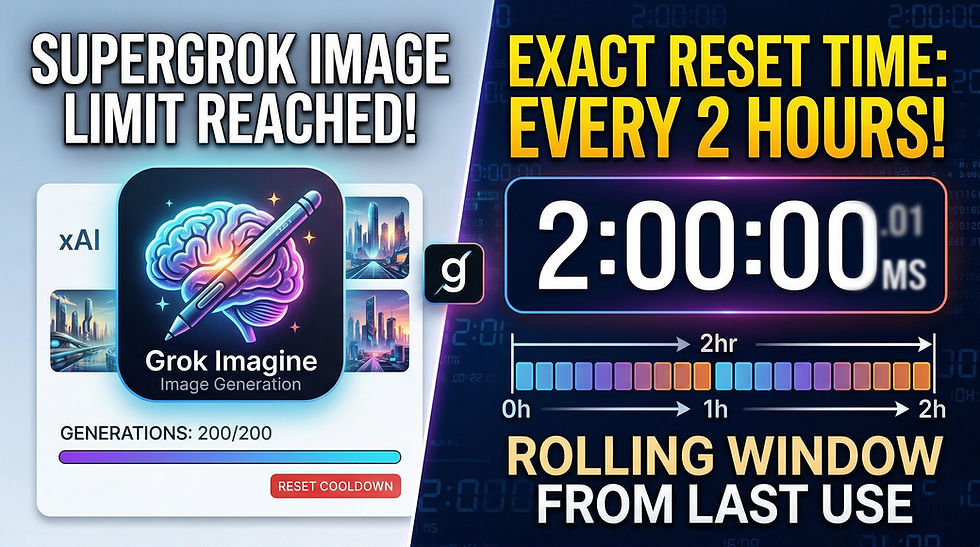
However, there is also a second, shorter reset window operating simultaneously. Multiple users and platform reports confirm that a portion of image generation capacity resets on a shorter rolling window of approximately two hours. This explains why some users report being able to generate a handful of images even after hitting their stated daily cap — a small slice of quota from two hours earlier has expired and freed up new capacity.
To put it simply: you are working with two overlapping systems at once. A shorter rolling window of roughly two hours governs burst capacity, while a longer rolling window of roughly 24 hours governs your total daily allotment. When your usage is spread out across the day, this works smoothly. When you burn through your entire quota in a single session, you will need to wait closer to the full 24-hour window for a meaningful reset.
The Fair Use Algorithm: SuperGrok's Hidden Throttle
Here is something the marketing page does not tell you: even SuperGrok's advertised limits are not the full picture. xAI operates a "fair use algorithm" that throttles heavy users during peak hours. This is a soft cap layered on top of the hard daily limits, and it is deliberately undocumented.
In practice, many SuperGrok subscribers report hitting invisible walls after generating 50 to 100 images in rapid succession — well below the marketed 200-image daily cap. If you send ten prompts in ten minutes, the system may slow down or temporarily halt your access even though your official quota is nowhere near exhausted. This throttling is designed to prevent burst abuse and protect server stability, but it catches legitimate power users just as often as it catches bad actors.
The fair use algorithm is also time-of-day sensitive. During peak hours — typically US afternoon and evening when the largest portion of the platform's user base is active — throttling is more aggressive. If you regularly find your generation speed slowing down around the same time each day, this is almost certainly the fair use system kicking in rather than your quota being depleted.
The practical takeaway is that "200 images per day" should be read as "200 images per day under ideal conditions at a sustainable pace." Rapid-fire generation sessions will hit the invisible throttle before you hit the hard cap.
Why Reset Times Feel Inconsistent: The Platform Anomalies
If you have spent any time in Grok communities or Reddit threads discussing SuperGrok limits, you will have noticed wildly different reset experiences being reported by different users. Some say their quota came back in two hours. Others say it took 24. Some report a partial restore after a few hours. Others say nothing changed until the next day.
This inconsistency is real, and it is not just people misremembering. Several factors contribute to genuinely variable reset experiences across accounts.
Server load plays a significant role. When xAI's servers are under heavy demand, the platform appears to apply more conservative throttling across the board, effectively extending the time it takes for quota to restore. During periods of low server load, the rolling windows may behave more generously.
Account usage history also appears to factor in. Accounts that consistently push close to their daily limits every single day may be treated differently by the fair use algorithm than accounts with more irregular usage patterns. This is consistent with how most large-scale AI platforms handle resource allocation.
There is also a documented UI bug that has affected some users: a timer display underflow glitch that shows an incorrect countdown to reset, making it appear that the quota should have already restored when it actually has not. Refreshing the interface does not reliably fix this. If your interface is showing a reset time but your generations are still failing, this is the most likely explanation.
Finally, the February 2026 update that introduced 720p video generation changed how quota consumption is calculated for video content. Users who previously generated 40 to 60 videos per day began hitting limits after roughly 10 to 15 videos at the higher resolution setting, because each 720p generation consumes significantly more quota than its 480p equivalent. If your effective daily video limit feels like it got drastically worse in early 2026, this quality-based quota consumption is why.
How to Make the Most of Your SuperGrok Image Quota
Understanding the reset mechanics opens up real opportunities to optimize your workflow. Here is how to get the maximum output from your SuperGrok subscription without constantly running into limits.
Space your generations across the day rather than burning through your quota in a single session. Because the system uses rolling windows rather than daily resets, consistent paced usage throughout the day keeps you below the fair use throttle threshold while steadily consuming and restoring quota on the shorter rolling windows.
Write stronger prompts the first time. Prompt retries consume quota faster than new prompts. If you send the same prompt again after a result you dislike, you are spending generation attempts without diversifying your creative output. Build prompts with enough specificity to get closer to your intended result on the first attempt — this preserves quota for more images rather than re-rolling the same concept.
Avoid generating during peak hours if you have flexibility in your schedule. If your timezone puts you online during US afternoon hours, consider scheduling generation sessions in the morning or late evening when server demand is lower and the fair use algorithm is less aggressive.
Be aware that failed generations — including prompts flagged by content moderation — still count against your quota. You do not receive a generation credit back because Grok rejected your prompt. Build this into your planning, especially if your content type sometimes triggers false positives.
Saving images does not appear to consume quota. Users consistently report that downloading or bookmarking an already-generated image does not count against the generation limit. This means you can freely revisit and save outputs without burning additional capacity.
If you are using Grok Imagine for video creation specifically, consider whether SuperGrok is actually the right tool for your workload. With the February 2026 changes making 720p the standard quality for serious work, and 720p consuming quota significantly faster than 480p, the effective daily video limit for quality output has dropped substantially. Heavy video creators may find that the economics no longer favor a subscription model.
SuperGrok vs. Alternatives: Is $30 Per Month Still Worth It in 2026?
The value calculation for SuperGrok has shifted significantly since early 2025. When the subscription launched, the combination of advanced Grok model access, DeepSearch, extended memory, and generous Grok Imagine usage for images and video genuinely stood out as a competitive bundle. The $30 monthly price looked attractive compared to X Premium Plus at $40 for less AI-specific functionality.
In 2026, that picture is more complicated. The February update brought real improvements to video quality — 720p and 10-second videos are legitimately better output — but it also made the quota feel tighter for anyone primarily using SuperGrok for visual content. Users who signed up expecting 100 quality videos per day are now hitting limits after 10 to 15.
The subscription still delivers strong value for users who use Grok 4 for AI chat, coding assistance, research, and DeepSearch alongside occasional Grok Imagine usage. If you are using the full suite of features, $30 per month for an all-in-one AI assistant with real-time X data integration is genuinely competitive with other flagship AI subscriptions.
The value case weakens significantly if your primary use case is high-volume AI image or video generation. For that workload, you are paying for a bundled product where the component you care most about has the tightest constraints.
SuperGrok Heavy at $300 per month exists specifically for users who have exhausted what the standard tier can deliver. The 500-plus daily generation cap with priority access genuinely serves agencies and studios operating at scale, though the price point is a significant step up that only makes sense for professional production environments.
What xAI Needs to Fix About the Limit Transparency
The single biggest complaint from SuperGrok subscribers is not the existence of limits — most users understand that AI generation has real costs. The frustration is the complete absence of official documentation explaining how the limits actually work.
Right now, you cannot see a timer showing when your quota will restore. You cannot see how many generations you have remaining before hitting the fair use throttle. You cannot predict whether a given prompt will count as one generation or trigger multiple internal renders. You do not know if a moderation block charged your account before refusing to generate.
This opacity breeds frustration and distrust. Users who do not know why they hit a wall, when it will clear, or how to avoid it in the future cannot optimize their workflows and cannot make informed decisions about whether the subscription delivers value for their specific use case.
The community workaround is to treat the system as if it resets on a 24-hour rolling window from whenever you first exhausted your quota, pace your generation sessions throughout the day, and avoid rapid-fire burst sessions during peak hours. This approach will keep most users generating consistently without hitting hard stops.
Until xAI publishes clear documentation — a visible quota counter, an explicit reset timer, and transparent rules about how different generation types consume quota — the confusion is going to continue. For a product positioning itself against industry leaders like Midjourney and Adobe Firefly, that transparency gap is an obvious area to address.
Final Thoughts
SuperGrok's image generation limit reset time in 2026 operates on rolling 24-hour windows rather than fixed midnight resets, with a secondary two-hour rolling window that governs shorter burst capacity. The fair use algorithm adds an undocumented soft throttle during peak usage and peak hours. Failed generations and high-resolution video outputs both consume quota faster than most users realize.
The reset system is not broken — it is functioning exactly as designed, balancing server load across millions of users while preserving reasonable access for subscribers. What is broken is the communication around how it works. If you know what you are dealing with, you can work with it effectively. Pace your sessions, write stronger prompts, avoid peak hours, and treat the 200-image cap as a sustained daily ceiling rather than a burst budget you can spend all at once.
For casual creators and users who balance Grok Imagine with regular AI chat usage, SuperGrok at $30 per month remains a capable and reasonably priced subscription. For dedicated high-volume image and video creators who need predictable throughput without undocumented throttles, exploring dedicated generation platforms alongside or instead of SuperGrok is a conversation worth having.
Know your limits. Know when they reset. Generate smarter.


Comments